Apple Watch
App Version: v1.8.0 or later
Installation
After downloading the iPhone app from the App Store, the system will usually install the Apple Watch version on your paired Apple Watch automatically.
If you don’t see Inscribe on your paired Apple Watch, you can try one of the following:
- Install it from the App Store on your Apple Watch
- Open the Watch app on your paired iPhone and install Inscribe from there
Usage
The Apple Watch app is a simplified version of Inscribe. With it, you can:
- Browse all notes and thoughts, with support for filtering and sorting
- Like notes and add thoughts
All data in the Apple Watch app comes from iCloud.
Please make sure iCloud Sync is enabled in Inscribe on your paired iPhone.
Data in Inscribe will sync automatically between the iPhone app and the Apple Watch app through iCloud.
Widgets
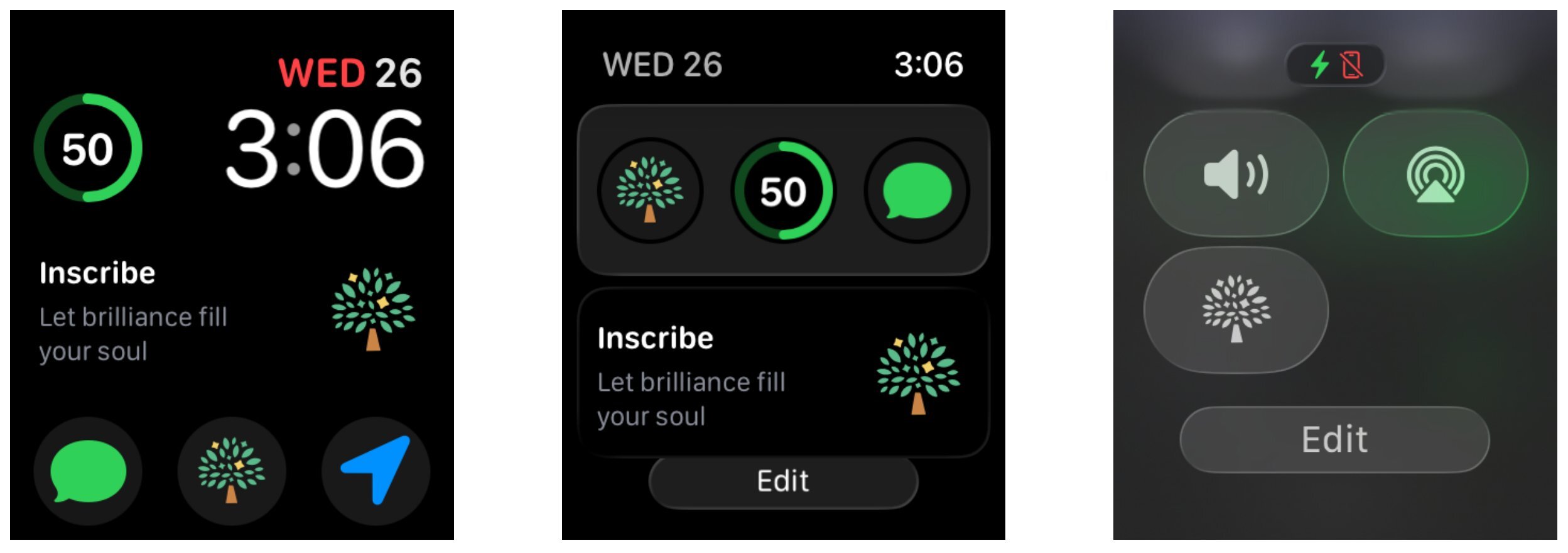
You can also add Inscribe widgets to Stacks, your Watch Face, and Control Center.
Here are some examples: