What is the sources?
A source represents the identifier of the saved data on the internet. In most cases, you don’t need to configure it manually.
When additional information is needed for a saved item, the source helps determine where to retrieve the data.
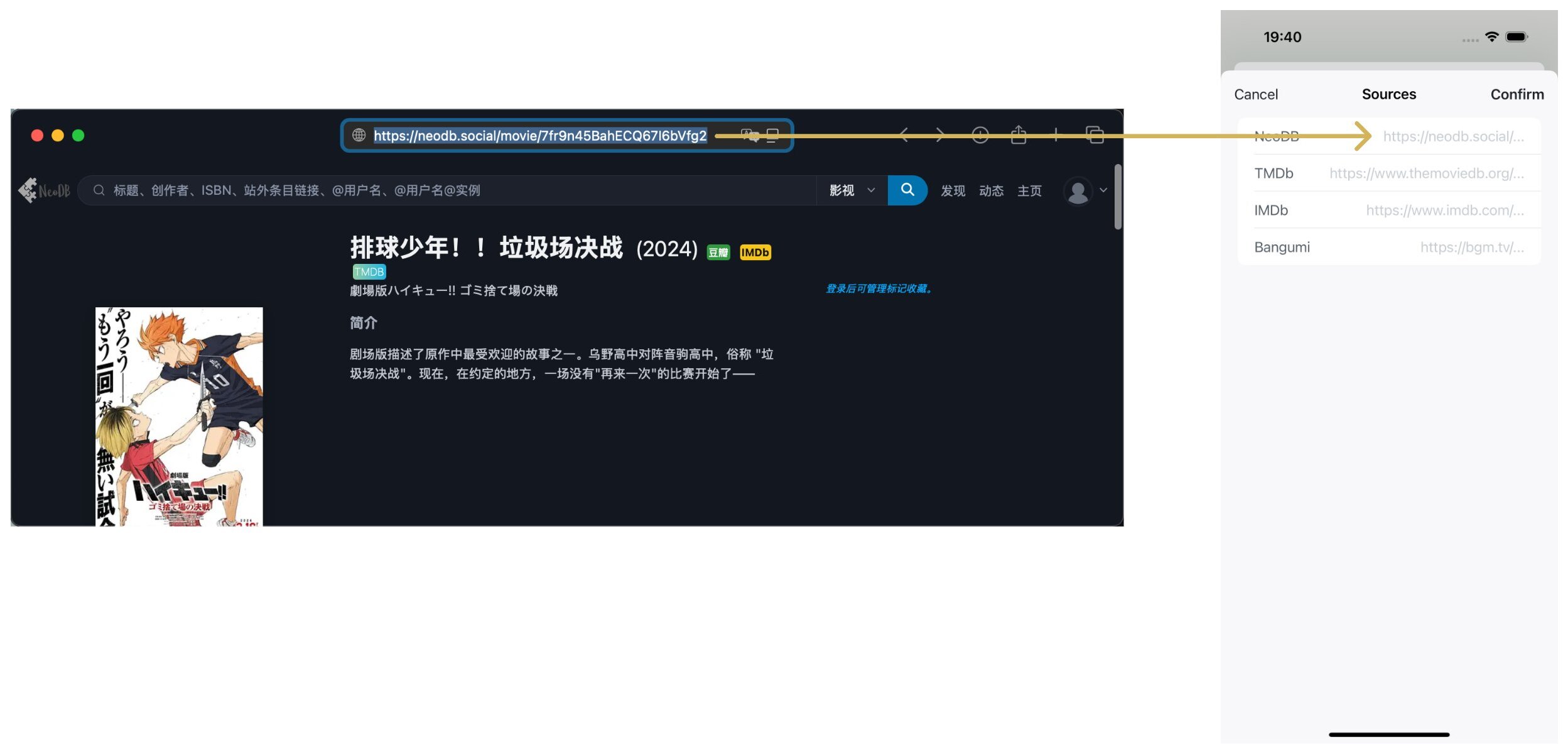
After adding a saved item from the internet, the app will automatically link it to the sources. If you want to associate more sources or correct an existing source, simply copy the link from the relevant source page, paste it, and save.
For example, with NeoDB, just copy the link as shown in the image and paste it to complete the association.
Note: If the confirmation cannot be completed, the copied link from the source may be incorrect. Please check and correct it.