Instruction
App Version: v2.0.0 or later
Introduction – Welcome to Collector!
For those who love collecting, you’re about to embark on an extraordinary experience!
Collector lets you keep movies, shows, books, podcasts, albums, games, performances, and apps as your collections, organized by the following states:
- Wishlist — want to watch, listen, play, read, or use
- Progress — currently watching, listening, playing, reading, or using
- Completed — watched, listened, played, read, or used
- Dropped — no longer watching, listening, playing, reading, or using
Each state represents a moment, and every collection can have multiple moments to help you continuously track your journey.
Create more moments with your collections in Collector!
You can find an introduction to the core features below and continue to explore them as you use them.
Collector is actively developing more features. Feel free to share your great ideas with us by Contact.
1 Add Collections
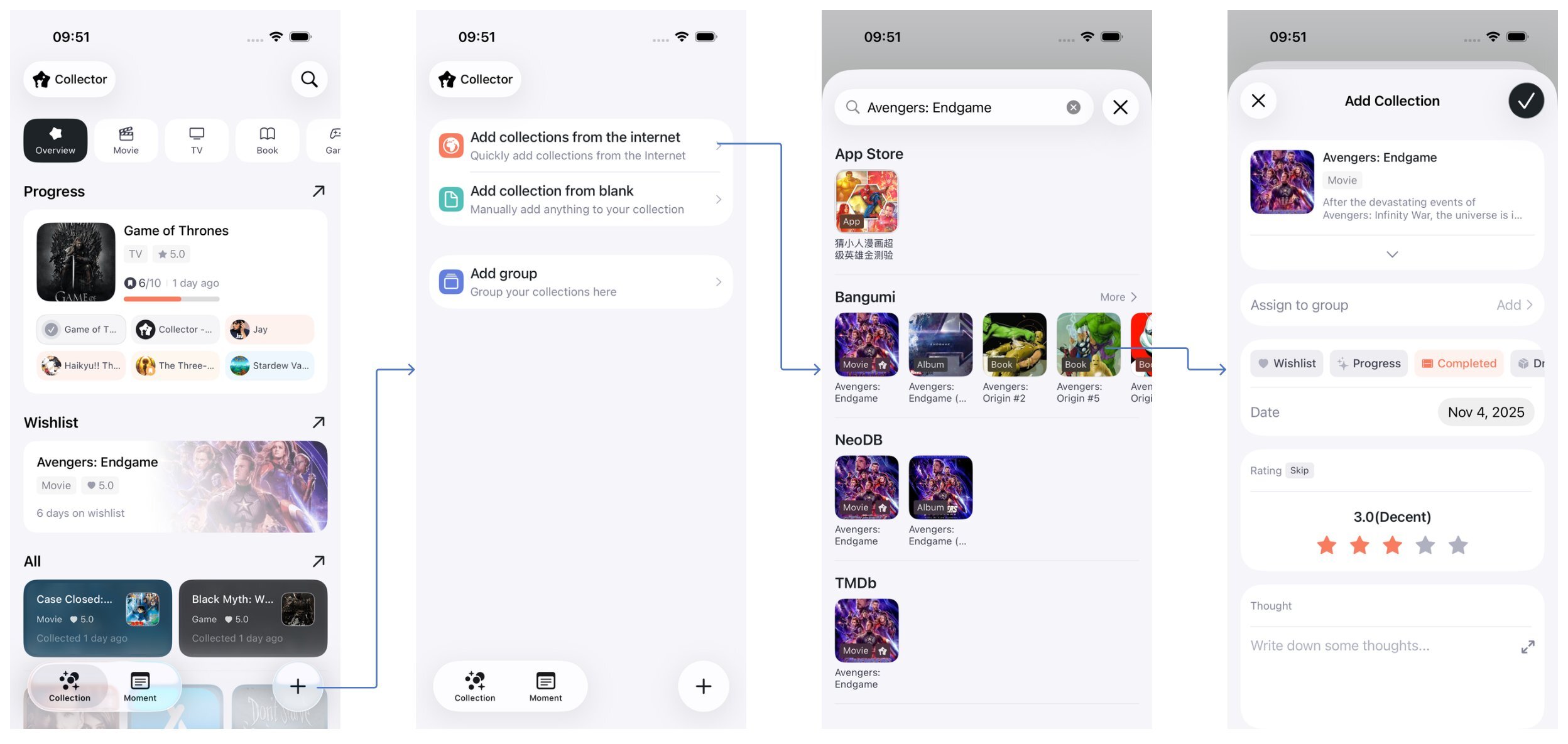
1.1 Add Collections from the Internet
Collector allows you to add collections based on internet data. Currently supported sources include NeoDB, TMDb, Bangumi and App Store.
No worries if you’re not familiar with these sources—you can quickly search and add collections as shown below.
1.2 Manually Add a Collection
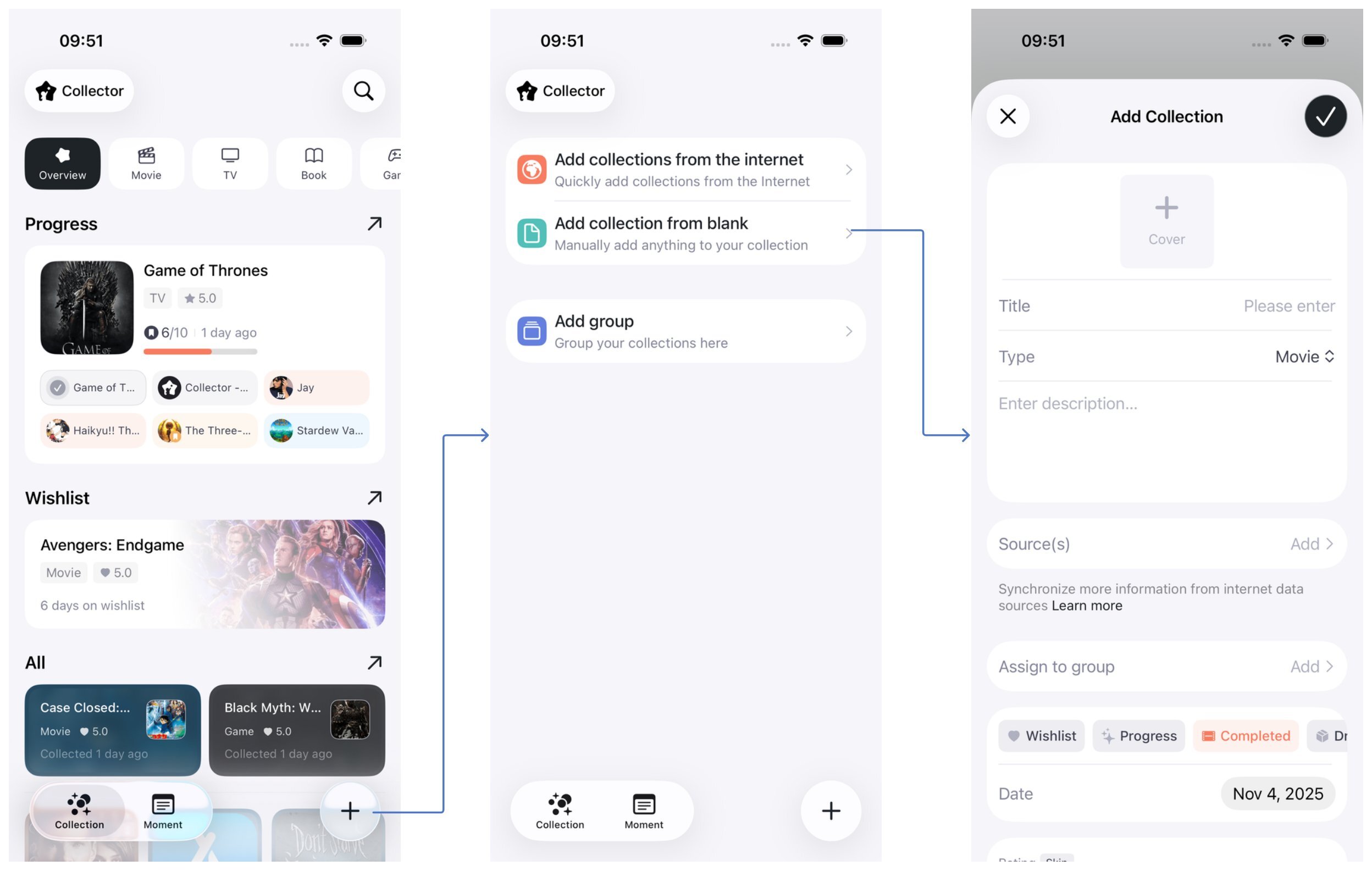
If you can’t find what you want to collect on the internet, you can manually add any content to your collections.
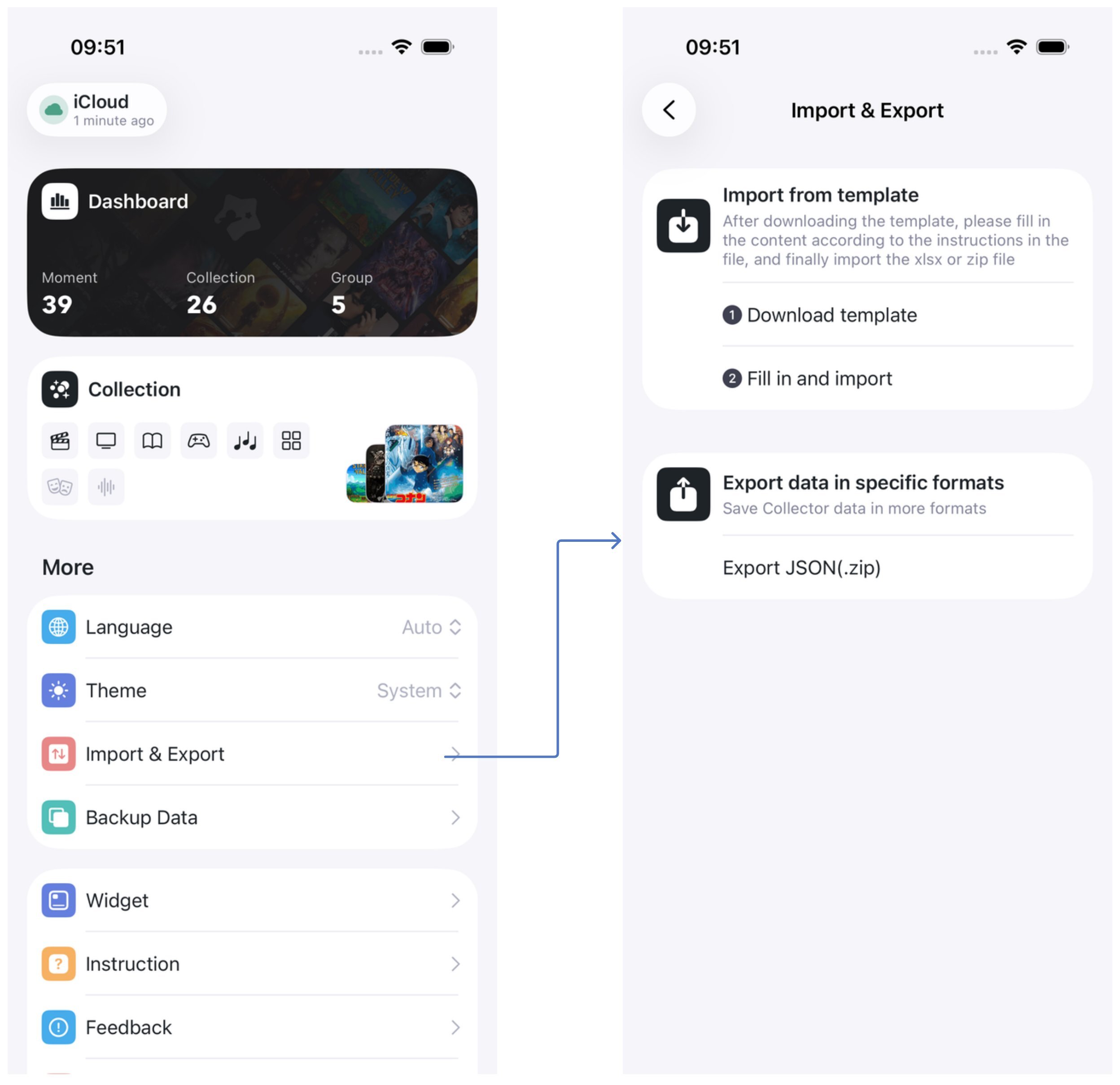
1.3 Import Collections from a Template
Collector allows you to quickly batch import existing collections using a file template.
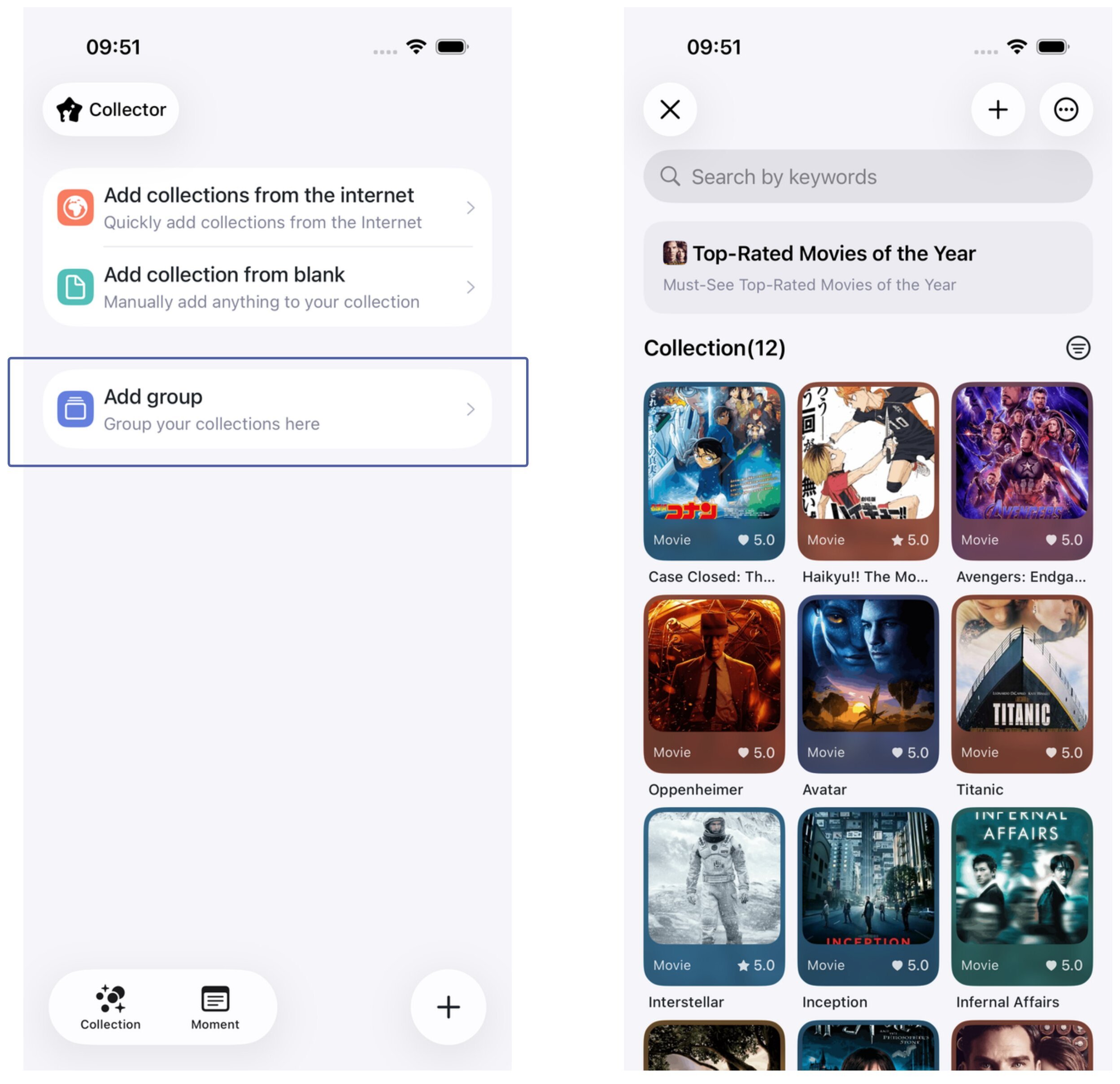
2 Add a Group
Organize your collections freely with Groups! They can work as tags or as custom categories.